12 E-Commerce operators share how they scale operations. → Get the ERP Playbook.
Switching ERP from weclapp, Xentral or JTL to Odoo: How companies migrate cleanly (process, risks and common mistakes)
Switching ERP from weclapp, Xentral or JTL to Odoo: How companies migrate cleanly (process, risks and common mistakes)

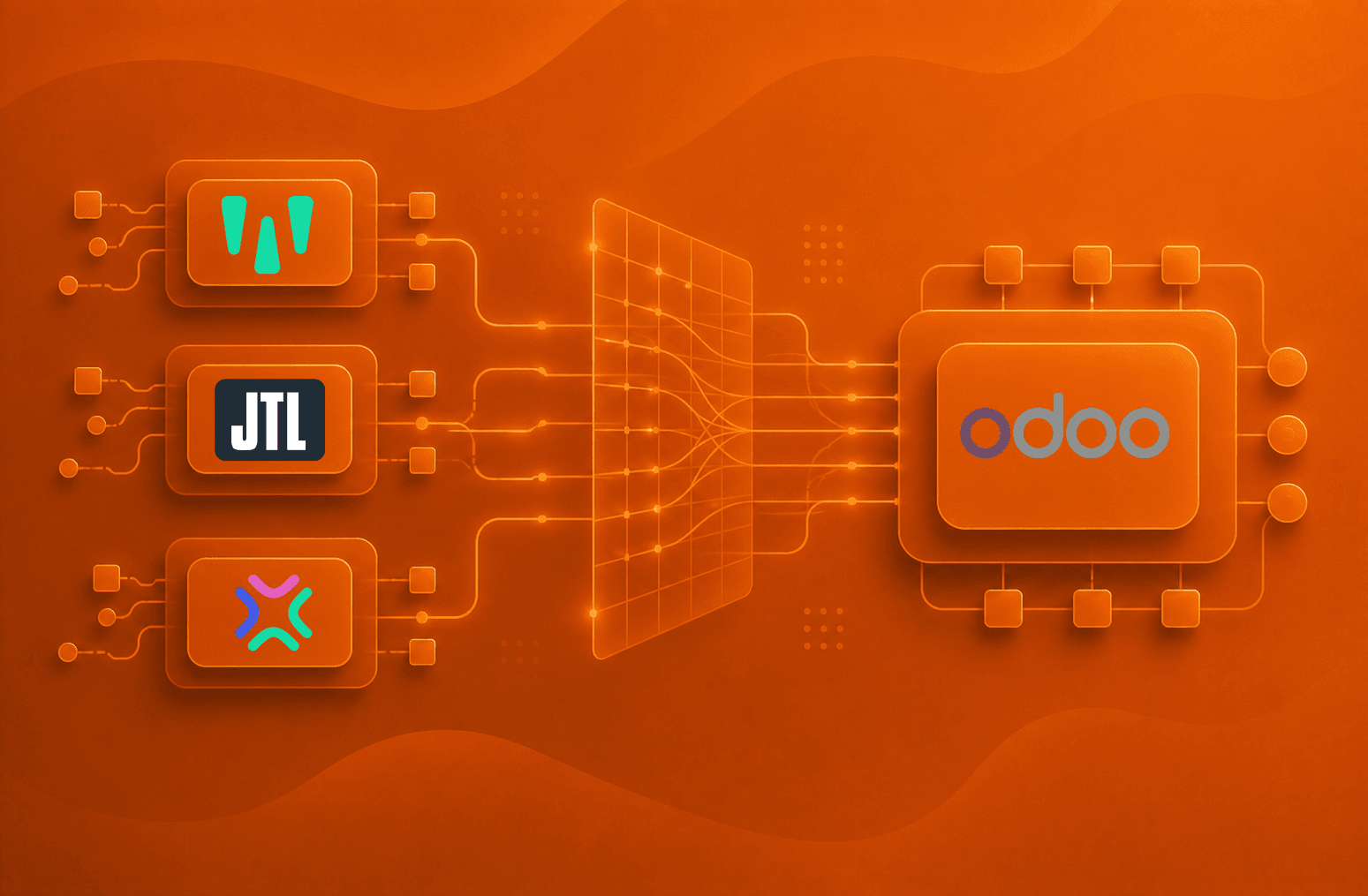
An ERP system switch rarely starts with a direct system decision.
Most of the time, it develops gradually: the current setup still works, but more and more work happens around it. The warehouse keeps its own lists, Finance only trusts the numbers to a point, Sales knows special paths that are not documented anywhere in the system, reports need manual clean-up, and new employees eventually ask why so much is still being transferred by hand.
Then the question comes up: “Should we switch from weclapp, Xentral or JTL to Odoo?”
Many companies outgrow their existing ERP, inventory-management or tool setups. But the switch only becomes successful when work runs more clearly afterwards, data becomes more reliable, and responsibility is better reflected in the system.
Old data inside a new ERP is not enough. Old workarounds in a more modern interface are not enough either.
The real job is bigger: the company has to decide which way of working it wants to take into its next growth phase.
TL;DR
An ERP system switch to Odoo should not be a 1:1 move.
Many companies do not switch because of one missing feature, but because their system logic no longer matches their operational reality. Excel, Google Sheets, manual handovers, shadow processes and contradictory numbers are warning signs.
Before the migration, you need process clarity. Which workflows really belong in the new ERP? Which exceptions are business-critical? Which data has to be clean? What belongs in phase 1? Which topics should deliberately move into the backlog?
Odoo can model a lot. That is exactly why clarity matters so much. If you transfer old workarounds into Odoo, you do not end up with a better operating system. You end up with a more expensive reflection of old ambiguity.
Why companies start thinking about switching to Odoo
weclapp, Xentral or JTL can be very useful for a certain stage of a company. Many companies start with them for good reasons: they need structure, an inventory-management system, better order processing, perhaps a first connection between shop, warehouse and accounting.
For a while, that is enough. Then the business grows. There are more products, more orders, more employees, more warehouse logic, more B2B customers, more exceptions, more alignment with Finance, and more demands on reporting and control.
The setup usually grows along with the business somehow. A new sheet here. An app there. A manual handover. An additional report. A workaround for an exception. A special rule that only two people in the company understand.
At some point, you end up in a state that still looks like a system from the outside. In day-to-day operations, however, the business depends on many small bridges between systems, teams and people’s heads.
A typical pattern from projects: product availability, expected incoming goods, status information and operational coordination live in Google Sheets. The old ERP provides part of the truth, but many important details are manually added every day. The team has a kind of transparency as a result. But only because people constantly move data from one place to another.
I like to call these setups “human APIs”.
People keep systems in sync, close process gaps, know which exception applies when, and save the operational reality that the system no longer fully reflects.
That works for a surprisingly long time, but it does not scale.
A switch to Odoo becomes relevant when the current setup no longer reliably holds the company together. It is the result of accumulated friction, uncertainty, data breaks and manual compensation.
Typical warning signs include:
important processes run outside the system
data is transferred manually between tools
Finance, warehouse and Sales work with different numbers
reports need to be cleaned up every time
availability is tracked in side lists
exceptions depend on individual people
changes to orders create follow-up problems
new tools only solve partial problems
growth makes workflows harder rather than easier
If several of these points apply, the system switch is usually only the visible part. Underneath sits a bigger question: how should the company operate in the future?
The old system is usually not the only culprit
I am not a fan of broadly blaming existing systems or software.
Often, the old setup was exactly right in the beginning. It solved a concrete problem and delivered improvements quickly.
From practice:
In one of our client projects, the existing ERP had originally been used mainly for one department. It helped structure purchasing and supplier relationships better. Sales, logistics, Finance and special processes continued to run through other tools, sheets and agreements.
As a result, the system was not a true company-wide operating system. It was more of a heavily used departmental tool inside a larger network of workarounds.
I see setups like this often, because fast-growing companies rarely have the time in day-to-day operations to regularly rethink their processes. Teams solve their own problems. Over time, a system of partial solutions emerges. But eventually, that is no longer enough.
Especially in companies below 100 or 150 employees, there is often no role that looks across departments at processes. Someone who zooms out of daily operations and asks:
How does information actually flow through the company?
Where do handovers happen?
Which data does each team need?
Which decisions are made in the system?
Which decisions only live in individual people’s heads?
Which workarounds are useful?
Which ones are only historically grown?
If nobody asks these questions, complexity keeps growing in the background.
Switching to Odoo can then be a good step. But only if the switch is used to genuinely sort out that accumulated complexity.
The most dangerous mistake during migration: carrying over old logic
Many companies think about data first when they think about migration: which products have to move? Which customers? Which suppliers? Which open orders? Which invoices? Which stock levels?
Of course these questions matter, but they often come too early. Before that, you need to know whether the old data structure actually describes the right way of working.
One practical example: subcontracting or components supplied to a subcontractor.
In a grown setup, a process like this can be represented through workarounds. For example through placeholder products, improper production logic, manual additions, or bills of materials that grew out of the old system’s limitations rather than the real process logic.
In daily operations, that can work. Until Finance wants to understand which cost of goods was actually created, the warehouse needs to know which components are located where, and Purchasing, Production and Accounting need to look at the same truth.
If you simply transfer this structure into Odoo, you move the old problem with you.
A clean migration asks different questions first:
How does the real process actually run? Which components are procured? What goes to the subcontractor? What comes back as a finished product? When is stock created? When is value created? Which information does Finance need? Which information does the warehouse need? Which information does Purchasing need?
Old data is therefore not a blueprint. It is a conversation starter and shows how work has been done so far. But it does not automatically point the way to how work should happen in the future.
That is exactly where the difference between a technical migration and an operationally useful migration sits.
Technically, you can transfer a lot. Functionally, you should bring over much less than many companies initially believe.
An ERP system switch rarely starts with a direct system decision.
Most of the time, it develops gradually: the current setup still works, but more and more work happens around it. The warehouse keeps its own lists, Finance only trusts the numbers to a point, Sales knows special paths that are not documented anywhere in the system, reports need manual clean-up, and new employees eventually ask why so much is still being transferred by hand.
Then the question comes up: “Should we switch from weclapp, Xentral or JTL to Odoo?”
Many companies outgrow their existing ERP, inventory-management or tool setups. But the switch only becomes successful when work runs more clearly afterwards, data becomes more reliable, and responsibility is better reflected in the system.
Old data inside a new ERP is not enough. Old workarounds in a more modern interface are not enough either.
The real job is bigger: the company has to decide which way of working it wants to take into its next growth phase.
TL;DR
An ERP system switch to Odoo should not be a 1:1 move.
Many companies do not switch because of one missing feature, but because their system logic no longer matches their operational reality. Excel, Google Sheets, manual handovers, shadow processes and contradictory numbers are warning signs.
Before the migration, you need process clarity. Which workflows really belong in the new ERP? Which exceptions are business-critical? Which data has to be clean? What belongs in phase 1? Which topics should deliberately move into the backlog?
Odoo can model a lot. That is exactly why clarity matters so much. If you transfer old workarounds into Odoo, you do not end up with a better operating system. You end up with a more expensive reflection of old ambiguity.
Why companies start thinking about switching to Odoo
weclapp, Xentral or JTL can be very useful for a certain stage of a company. Many companies start with them for good reasons: they need structure, an inventory-management system, better order processing, perhaps a first connection between shop, warehouse and accounting.
For a while, that is enough. Then the business grows. There are more products, more orders, more employees, more warehouse logic, more B2B customers, more exceptions, more alignment with Finance, and more demands on reporting and control.
The setup usually grows along with the business somehow. A new sheet here. An app there. A manual handover. An additional report. A workaround for an exception. A special rule that only two people in the company understand.
At some point, you end up in a state that still looks like a system from the outside. In day-to-day operations, however, the business depends on many small bridges between systems, teams and people’s heads.
A typical pattern from projects: product availability, expected incoming goods, status information and operational coordination live in Google Sheets. The old ERP provides part of the truth, but many important details are manually added every day. The team has a kind of transparency as a result. But only because people constantly move data from one place to another.
I like to call these setups “human APIs”.
People keep systems in sync, close process gaps, know which exception applies when, and save the operational reality that the system no longer fully reflects.
That works for a surprisingly long time, but it does not scale.
A switch to Odoo becomes relevant when the current setup no longer reliably holds the company together. It is the result of accumulated friction, uncertainty, data breaks and manual compensation.
Typical warning signs include:
important processes run outside the system
data is transferred manually between tools
Finance, warehouse and Sales work with different numbers
reports need to be cleaned up every time
availability is tracked in side lists
exceptions depend on individual people
changes to orders create follow-up problems
new tools only solve partial problems
growth makes workflows harder rather than easier
If several of these points apply, the system switch is usually only the visible part. Underneath sits a bigger question: how should the company operate in the future?
The old system is usually not the only culprit
I am not a fan of broadly blaming existing systems or software.
Often, the old setup was exactly right in the beginning. It solved a concrete problem and delivered improvements quickly.
From practice:
In one of our client projects, the existing ERP had originally been used mainly for one department. It helped structure purchasing and supplier relationships better. Sales, logistics, Finance and special processes continued to run through other tools, sheets and agreements.
As a result, the system was not a true company-wide operating system. It was more of a heavily used departmental tool inside a larger network of workarounds.
I see setups like this often, because fast-growing companies rarely have the time in day-to-day operations to regularly rethink their processes. Teams solve their own problems. Over time, a system of partial solutions emerges. But eventually, that is no longer enough.
Especially in companies below 100 or 150 employees, there is often no role that looks across departments at processes. Someone who zooms out of daily operations and asks:
How does information actually flow through the company?
Where do handovers happen?
Which data does each team need?
Which decisions are made in the system?
Which decisions only live in individual people’s heads?
Which workarounds are useful?
Which ones are only historically grown?
If nobody asks these questions, complexity keeps growing in the background.
Switching to Odoo can then be a good step. But only if the switch is used to genuinely sort out that accumulated complexity.
The most dangerous mistake during migration: carrying over old logic
Many companies think about data first when they think about migration: which products have to move? Which customers? Which suppliers? Which open orders? Which invoices? Which stock levels?
Of course these questions matter, but they often come too early. Before that, you need to know whether the old data structure actually describes the right way of working.
One practical example: subcontracting or components supplied to a subcontractor.
In a grown setup, a process like this can be represented through workarounds. For example through placeholder products, improper production logic, manual additions, or bills of materials that grew out of the old system’s limitations rather than the real process logic.
In daily operations, that can work. Until Finance wants to understand which cost of goods was actually created, the warehouse needs to know which components are located where, and Purchasing, Production and Accounting need to look at the same truth.
If you simply transfer this structure into Odoo, you move the old problem with you.
A clean migration asks different questions first:
How does the real process actually run? Which components are procured? What goes to the subcontractor? What comes back as a finished product? When is stock created? When is value created? Which information does Finance need? Which information does the warehouse need? Which information does Purchasing need?
Old data is therefore not a blueprint. It is a conversation starter and shows how work has been done so far. But it does not automatically point the way to how work should happen in the future.
That is exactly where the difference between a technical migration and an operationally useful migration sits.
Technically, you can transfer a lot. Functionally, you should bring over much less than many companies initially believe.
Ist dein ERP Projekt in Gefahr?
Ist dein ERP Projekt in Gefahr?
Finde in 3 Minuten heraus, ob euer ERP-Projekt sauber vorbereitet ist oder ob fehlende Ownership, unklare Prozesse und falscher Scope schon vor der Implementierung zum Risiko werden.
Finde in 3 Minuten heraus, ob euer ERP-Projekt sauber vorbereitet ist oder ob fehlende Ownership, unklare Prozesse und falscher Scope schon vor der Implementierung zum Risiko werden.
12 Fragen. Direktes Ergebnis. Für Teams, die vor dem Projektstart Klarheit schaffen wollen.
Ist dein ERP Projekt in Gefahr?
Finde in 3 Minuten heraus, ob euer ERP-Projekt sauber vorbereitet ist oder ob fehlende Ownership, unklare Prozesse und falscher Scope schon vor der Implementierung zum Risiko werden.
12 Fragen. Direktes Ergebnis. Für Teams, die vor dem Projektstart Klarheit schaffen wollen.
A clean Odoo migration starts with understanding
When we start a migration project, we are not only interested in the old system. We are interested in the real work.
Where does a process begin? Who does which step? Which information is needed? Where do manual handovers happen? Which decisions does the system make? Which decisions does the team make outside the system? Which data is maintained multiple times? Which exceptions happen regularly? Which exceptions are treated as bigger than their economic relevance?
In workshops, companies often describe the ideal process first. That usually sounds relatively clean. After a few follow-up questions, the operational reality appears.
“Normally, we do it like this.”
“Except for this customer type.”
“Except in B2B.”
“Except for export.”
“Except when the product is not there yet.”
“Except when the invoice has already been paid.”
“Except when the external logistics partner needs it differently.”
These exceptions show whether the company has a stable process or whether the operation is being held together by experience and tacit knowledge. That is why collecting requirements is not enough.
Many requirements are complaints in another form. Someone wants a field, a button, an automation, a report. Maybe that makes sense. Maybe behind it sits an unclear process, a wrong data structure or a decision nobody has wanted to make yet.
Good ERP work therefore means: understand first, decide next, build after that.
Why we explain Odoo early
Many ERP projects treat training as the final step before go-live. I consider that dangerous.
Of course, users need training at the end. But conceptual understanding has to emerge much earlier:
At the beginning, client and implementation partner often speak different languages. The client speaks the language of the old world: sheets, special paths, workarounds, grown departmental terms, old system boundaries. We speak the language of the new world: Odoo concepts, target processes, data models, workflows, system logic.
If this gap remains, teams can spend months discussing requirements without everyone sharing a common picture of the target process.
That is why we show early, as a working basis, how Odoo can fundamentally map a relevant process: with a real customer, product, order, supplier, invoice and possible exceptions.
When stakeholders see how a process can run in Odoo, the conversation changes. It is no longer only about wishes from the old world. Together, we can assess which logic really works, where standard functionality is enough, where an adaptation would make sense and which data is needed for it.
This early shared language saves many detours later.
The process of a sensible Odoo migration
Every project is different. Still, a clean migration usually follows a similar logic.
1. Understand the status quo
At the beginning, the goal is to make the real way of working visible: workflows, handovers, data, roles, exceptions and shadow processes.
The key question is: where do people compensate every day for what the system does not represent cleanly?
2. Define the target state
Next, we clarify how the process should run in the future. We do not ask first, “Can Odoo do this?” We ask: “How should this workflow function operationally?”
From this clarification emerge target architecture, process logic, data ownership, integration needs, responsibilities and an initial picture of phase 1.
3. Cut the workstreams
Instead of thinking only in modules, it helps to look at end-to-end processes. Order-to-Cash and Procure-to-Pay are often particularly important.
Order-to-Cash describes the path from lead or demand to payment: opportunity, quotation, order, delivery, invoice, payment and reporting.
Procure-to-Pay describes the path from need to payment: purchasing, supplier, purchase order, goods receipt, warehouse, vendor bill, payment and valuation.
This view is useful because operational problems rarely arise in just one module. They arise at handovers: between Sales and Ops, Purchasing and Warehouse, Warehouse and Finance, invoice and payment.
4. Build the process skeleton
Before migrating large amounts of data, you need a lean process skeleton.
A few real examples are enough at the beginning: some real customers, products, suppliers, price lists, warehouses, bills of materials or orders. With these examples, the target process is walked through to generate more insight:
Where does the logic work? Where is data missing? Where does a gap appear? Where is standard enough? Where is configuration needed? Where might an adaptation make sense? Where does the department need to make a decision?
5. Derive the data structure
Only once the target process is tangible does data migration really make sense.
Master data serves the process. Products, customers, prices, stock, suppliers, bills of materials and payment terms have to be structured in a way that supports the future workflow.
Old data can help, but it should not determine the new structure without scrutiny.
6. Cut phase 1
A good first phase does not have to fulfil every wish. Phase 1 should include the processes, data and integrations needed for a stable operating state. Everything else needs an honest assessment: does it have to be solved before go-live? Can it come later? Is a temporary manual step enough? Is the topic truly business-critical?
7. Implement, test, train
Now the system is configured, built, tested and taught. What matters is proximity to reality. Tests with invented standard cases are rarely enough.
The important questions are: can real users represent their day-to-day work? Do business-critical exceptions work? Are handovers between teams clear? Can Finance use the data? Does the team understand where responsibility sits?
8. Design a controlled go-live
Not every go-live has to be one big cutover date. Some areas can become productive earlier. B2B master data, CRM, pipeline, price lists or contract information can often be used in Odoo before the full transactional logic is live. That creates value earlier without immediately switching the entire order-processing flow.
Other areas need a clean cutover. Especially when warehouse, shipping, invoicing, Finance or external logistics are involved.
9. Stabilize after go-live
Go-live is the moment real usage begins.
Afterwards, you see which assumptions were right, which trainings are missing, which requirements lose weight and which gaps really matter. A good migration deliberately plans for this phase.
Why workstreams work better than module thinking
Many companies describe their problems along tools or departments.
“We need CRM.”
“We need better warehouse processes.”
“Finance needs better numbers.”
“Purchasing has to become cleaner.”
“We need better reports.”
That is understandable. Still, this view is often not enough.
A company does not operate in modules. Work flows through the entire company.
A lead becomes a quotation. A quotation becomes an order. An order triggers delivery. Delivery creates an invoice. The invoice leads to payment. Payment flows into Finance and reporting.
On the other side, a need arises. Need leads to purchasing. Purchasing leads to goods receipt. Goods receipt leads to stock. Stock leads to valuation. Valuation leads to Finance.
If you optimize only individual modules, you can easily move breaks to the next interface.
That is why Order-to-Cash and Procure-to-Pay are so valuable. They force everyone involved to think across departmental boundaries.
And exactly this cross-functional perspective is often missing in grown setups.
Data migration is a quality decision
Which data really has to go into the new system? Which history is relevant? Which data can stay archived? Which data contradicts itself? Which information was maintained but never used? Which fields are missing for the new process to work?
Usually, the most critical areas are product master data, customers, suppliers, price lists, stock levels, open orders, open invoices, serial numbers, batches, bills of materials, payment terms, tax facts, contracts, shipping logic and returns processes.
An example from Finance shows why this matters:
Many e-commerce companies can see their revenue fairly well. They know what was sold through Shopify, marketplaces, B2B or other channels. What they see much less clearly is which cost of goods sits against that revenue.
Then month-end close becomes a data hunt. Margins remain blurry, channels appear more or less profitable than they really are, and decisions are based on half the truth.
In a case like this, importing product master data is not enough. You have to clarify how product values arise, how stock movements are valued, when cost of goods is created and how revenue and cost come together.
If you cannot see your cost of goods cleanly, you do not know your real margin.
That is why bad data does not become better through migration. It only becomes more visible.
Take exceptions seriously without bending the system
Exceptions are one of the hardest parts of any ERP migration.
I understand why departments hold on to them: exceptions come from real experience. There was an export case that went wrong. A key account with special pricing logic. A return that was complicated. A production case that deviated from the standard. An accounting case that can only be handled cleanly with a lot of knowledge.
For the team, these cases are not theoretical. They are lived experience.
That is why simply sweeping exceptions away would be wrong.
It would be equally problematic to build every exception into the system immediately.
An exception should go into the system when it happens regularly, is economically relevant, is legally or accounting-relevant, creates operational risk or strongly affects the customer experience.
If an exception happens very rarely, is only historically grown, massively complicates the standard process or can be solved cleanly on an organizational level, it belongs more likely in the backlog or in a deliberately manual transition process.
In projects, you quickly notice: the loudest topics are not always the most important ones.
Sometimes a team discusses an exception very intensely even though it happens twice a year. At the same time, the daily core process is not clean enough yet. Then the project needs leadership.
Phase 1 needs a stable operating state
Many companies want to solve everything in phase 1. If you are already introducing a new ERP, it should finally be done right. All modules. All integrations. All reports. All exceptions. All automations. All historical data. All wishes from all departments.
An overloaded go-live, however, is often a risk.
That is why we ask: what does the company need in order to work stably in the new system?
Phase 1 should include topics such as:
processes without which operations stall
data needed for delivery, invoicing, stock and Finance
critical handovers between teams
central responsibilities
minimal integrations
processes with high error risk
areas that create real value early
Many other topics can come later: comfort functions, rare exceptions, additional reports, nice-to-have automations, downstream integrations or customizations whose value only becomes clear after real usage.
From practice
In many client projects, the original impulse is to take a large number of areas live at the same time: Sales, Purchasing, shipping logistics, Production, partner management, Finance and other adjacent processes. In implementation, this quickly becomes hard to digest: too many stakeholders, dependencies, open gaps, and too much change and training effort at once create unmanageable complexity.
Sometimes the best project decision is therefore to cut the scope deliberately.
A clean Odoo migration starts with understanding
When we start a migration project, we are not only interested in the old system. We are interested in the real work.
Where does a process begin? Who does which step? Which information is needed? Where do manual handovers happen? Which decisions does the system make? Which decisions does the team make outside the system? Which data is maintained multiple times? Which exceptions happen regularly? Which exceptions are treated as bigger than their economic relevance?
In workshops, companies often describe the ideal process first. That usually sounds relatively clean. After a few follow-up questions, the operational reality appears.
“Normally, we do it like this.”
“Except for this customer type.”
“Except in B2B.”
“Except for export.”
“Except when the product is not there yet.”
“Except when the invoice has already been paid.”
“Except when the external logistics partner needs it differently.”
These exceptions show whether the company has a stable process or whether the operation is being held together by experience and tacit knowledge. That is why collecting requirements is not enough.
Many requirements are complaints in another form. Someone wants a field, a button, an automation, a report. Maybe that makes sense. Maybe behind it sits an unclear process, a wrong data structure or a decision nobody has wanted to make yet.
Good ERP work therefore means: understand first, decide next, build after that.
Why we explain Odoo early
Many ERP projects treat training as the final step before go-live. I consider that dangerous.
Of course, users need training at the end. But conceptual understanding has to emerge much earlier:
At the beginning, client and implementation partner often speak different languages. The client speaks the language of the old world: sheets, special paths, workarounds, grown departmental terms, old system boundaries. We speak the language of the new world: Odoo concepts, target processes, data models, workflows, system logic.
If this gap remains, teams can spend months discussing requirements without everyone sharing a common picture of the target process.
That is why we show early, as a working basis, how Odoo can fundamentally map a relevant process: with a real customer, product, order, supplier, invoice and possible exceptions.
When stakeholders see how a process can run in Odoo, the conversation changes. It is no longer only about wishes from the old world. Together, we can assess which logic really works, where standard functionality is enough, where an adaptation would make sense and which data is needed for it.
This early shared language saves many detours later.
The process of a sensible Odoo migration
Every project is different. Still, a clean migration usually follows a similar logic.
1. Understand the status quo
At the beginning, the goal is to make the real way of working visible: workflows, handovers, data, roles, exceptions and shadow processes.
The key question is: where do people compensate every day for what the system does not represent cleanly?
2. Define the target state
Next, we clarify how the process should run in the future. We do not ask first, “Can Odoo do this?” We ask: “How should this workflow function operationally?”
From this clarification emerge target architecture, process logic, data ownership, integration needs, responsibilities and an initial picture of phase 1.
3. Cut the workstreams
Instead of thinking only in modules, it helps to look at end-to-end processes. Order-to-Cash and Procure-to-Pay are often particularly important.
Order-to-Cash describes the path from lead or demand to payment: opportunity, quotation, order, delivery, invoice, payment and reporting.
Procure-to-Pay describes the path from need to payment: purchasing, supplier, purchase order, goods receipt, warehouse, vendor bill, payment and valuation.
This view is useful because operational problems rarely arise in just one module. They arise at handovers: between Sales and Ops, Purchasing and Warehouse, Warehouse and Finance, invoice and payment.
4. Build the process skeleton
Before migrating large amounts of data, you need a lean process skeleton.
A few real examples are enough at the beginning: some real customers, products, suppliers, price lists, warehouses, bills of materials or orders. With these examples, the target process is walked through to generate more insight:
Where does the logic work? Where is data missing? Where does a gap appear? Where is standard enough? Where is configuration needed? Where might an adaptation make sense? Where does the department need to make a decision?
5. Derive the data structure
Only once the target process is tangible does data migration really make sense.
Master data serves the process. Products, customers, prices, stock, suppliers, bills of materials and payment terms have to be structured in a way that supports the future workflow.
Old data can help, but it should not determine the new structure without scrutiny.
6. Cut phase 1
A good first phase does not have to fulfil every wish. Phase 1 should include the processes, data and integrations needed for a stable operating state. Everything else needs an honest assessment: does it have to be solved before go-live? Can it come later? Is a temporary manual step enough? Is the topic truly business-critical?
7. Implement, test, train
Now the system is configured, built, tested and taught. What matters is proximity to reality. Tests with invented standard cases are rarely enough.
The important questions are: can real users represent their day-to-day work? Do business-critical exceptions work? Are handovers between teams clear? Can Finance use the data? Does the team understand where responsibility sits?
8. Design a controlled go-live
Not every go-live has to be one big cutover date. Some areas can become productive earlier. B2B master data, CRM, pipeline, price lists or contract information can often be used in Odoo before the full transactional logic is live. That creates value earlier without immediately switching the entire order-processing flow.
Other areas need a clean cutover. Especially when warehouse, shipping, invoicing, Finance or external logistics are involved.
9. Stabilize after go-live
Go-live is the moment real usage begins.
Afterwards, you see which assumptions were right, which trainings are missing, which requirements lose weight and which gaps really matter. A good migration deliberately plans for this phase.
Why workstreams work better than module thinking
Many companies describe their problems along tools or departments.
“We need CRM.”
“We need better warehouse processes.”
“Finance needs better numbers.”
“Purchasing has to become cleaner.”
“We need better reports.”
That is understandable. Still, this view is often not enough.
A company does not operate in modules. Work flows through the entire company.
A lead becomes a quotation. A quotation becomes an order. An order triggers delivery. Delivery creates an invoice. The invoice leads to payment. Payment flows into Finance and reporting.
On the other side, a need arises. Need leads to purchasing. Purchasing leads to goods receipt. Goods receipt leads to stock. Stock leads to valuation. Valuation leads to Finance.
If you optimize only individual modules, you can easily move breaks to the next interface.
That is why Order-to-Cash and Procure-to-Pay are so valuable. They force everyone involved to think across departmental boundaries.
And exactly this cross-functional perspective is often missing in grown setups.
Data migration is a quality decision
Which data really has to go into the new system? Which history is relevant? Which data can stay archived? Which data contradicts itself? Which information was maintained but never used? Which fields are missing for the new process to work?
Usually, the most critical areas are product master data, customers, suppliers, price lists, stock levels, open orders, open invoices, serial numbers, batches, bills of materials, payment terms, tax facts, contracts, shipping logic and returns processes.
An example from Finance shows why this matters:
Many e-commerce companies can see their revenue fairly well. They know what was sold through Shopify, marketplaces, B2B or other channels. What they see much less clearly is which cost of goods sits against that revenue.
Then month-end close becomes a data hunt. Margins remain blurry, channels appear more or less profitable than they really are, and decisions are based on half the truth.
In a case like this, importing product master data is not enough. You have to clarify how product values arise, how stock movements are valued, when cost of goods is created and how revenue and cost come together.
If you cannot see your cost of goods cleanly, you do not know your real margin.
That is why bad data does not become better through migration. It only becomes more visible.
Take exceptions seriously without bending the system
Exceptions are one of the hardest parts of any ERP migration.
I understand why departments hold on to them: exceptions come from real experience. There was an export case that went wrong. A key account with special pricing logic. A return that was complicated. A production case that deviated from the standard. An accounting case that can only be handled cleanly with a lot of knowledge.
For the team, these cases are not theoretical. They are lived experience.
That is why simply sweeping exceptions away would be wrong.
It would be equally problematic to build every exception into the system immediately.
An exception should go into the system when it happens regularly, is economically relevant, is legally or accounting-relevant, creates operational risk or strongly affects the customer experience.
If an exception happens very rarely, is only historically grown, massively complicates the standard process or can be solved cleanly on an organizational level, it belongs more likely in the backlog or in a deliberately manual transition process.
In projects, you quickly notice: the loudest topics are not always the most important ones.
Sometimes a team discusses an exception very intensely even though it happens twice a year. At the same time, the daily core process is not clean enough yet. Then the project needs leadership.
Phase 1 needs a stable operating state
Many companies want to solve everything in phase 1. If you are already introducing a new ERP, it should finally be done right. All modules. All integrations. All reports. All exceptions. All automations. All historical data. All wishes from all departments.
An overloaded go-live, however, is often a risk.
That is why we ask: what does the company need in order to work stably in the new system?
Phase 1 should include topics such as:
processes without which operations stall
data needed for delivery, invoicing, stock and Finance
critical handovers between teams
central responsibilities
minimal integrations
processes with high error risk
areas that create real value early
Many other topics can come later: comfort functions, rare exceptions, additional reports, nice-to-have automations, downstream integrations or customizations whose value only becomes clear after real usage.
From practice
In many client projects, the original impulse is to take a large number of areas live at the same time: Sales, Purchasing, shipping logistics, Production, partner management, Finance and other adjacent processes. In implementation, this quickly becomes hard to digest: too many stakeholders, dependencies, open gaps, and too much change and training effort at once create unmanageable complexity.
Sometimes the best project decision is therefore to cut the scope deliberately.
Ist dein ERP Projekt in Gefahr?
Finde in 3 Minuten heraus, ob euer ERP-Projekt sauber vorbereitet ist oder ob fehlende Ownership, unklare Prozesse und falscher Scope schon vor der Implementierung zum Risiko werden.
12 Fragen. Direktes Ergebnis. Für Teams, die vor dem Projektstart Klarheit schaffen wollen.
Partial go-lives can reduce risk
Many people think of ERP migration as the big cutover date: Friday old system > Monday new system.
Some processes need that kind of clear cutover. Especially order processing, warehouse, invoicing, Finance or external logistics. Parallel truths can be dangerous there.
Other areas can be used productively earlier. One example is B2B sales:
A company can maintain B2B master data, CRM, pipeline, price lists and contract information in Odoo before quotations, deliveries and invoices run fully through Odoo.
That creates real value: management sees pipeline and potential. Sales works more centrally. The supply team can anticipate demand better. Customer data becomes cleaner. The team gets used to Odoo.
The entire operation has not been switched over yet. But one concrete job is being solved better.
That makes the migration more tangible, less risky and less abstract for the teams.
Customization: flexibility with timing
Odoo’s flexibility is one of the software’s major strengths. At the same time, it tempts teams to build too much too early.
Good Odoo setups often need adaptations. Especially with complex products, e-commerce integrations, B2B processes, warehouse logic or production.
The decisive point is timing. Before real usage, many requirements are assumptions. After a few weeks in the system, the world often looks different. Teams understand Odoo better. Old wishes lose relevance. New bottlenecks become visible. Some comfort functions suddenly seem unnecessary.
That is why every adaptation should pass through a few questions:
What is the root cause?
Is the standard enough?
Could the process run differently?
Does configuration solve the problem?
Is the exception important enough?
Does this have to happen before go-live?
Or is it worth waiting for real usage?
Sometimes a manual click before go-live is better than a customization nobody needs three weeks later.
The most common mistakes in an Odoo migration
When Odoo migrations become expensive, slow or chaotic, the cause usually sits early in the project and in decisions that were made too late, too softly or on the wrong basis.
1. Taking old processes over 1:1
Many workflows feel familiar because they have been used for years. That does not make them good. If a workaround emerged in the old system, Odoo does not automatically make it cleaner. It only gives it a new surface.
2. Collecting requirements before understanding the process
Many requirements sound plausible at first: an additional field, a report, an automation, a special logic. Sometimes, however, they solve only the visible symptom rather than the cause. Then something is built before it is truly clear what should happen in operations.
3. Packing too much scope into phase 1
When everything is supposed to go into the first launch wave, a tsunami forms: huge and destructive.
Then too many departments, exceptions, integrations and open questions depend on the same go-live. What looks like a complete start on paper quickly becomes an overwhelming effort for the project team, key users and operational teams.
A good first phase does not have to solve everything. It has to bring the business stably into the new system. Everything not strictly needed for that belongs deliberately in the backlog.
4. Forcing a Big Bang
Some processes have to be switched together because warehouse, order processing, invoicing and Finance are tightly connected. Other areas can be decoupled earlier or later. Putting everything on one single date unnecessarily increases change effort and error risk.
5. Customizing too early
Odoo is flexible, and that is exactly what tempts teams to quickly recreate old special logic. Before real usage, many requirements are assumptions. If you build too early, you often automate an idea of the process that is already judged differently three weeks after go-live.
6. Taking data quality seriously too late
If master data, stock levels, prices, open items or bills of materials are wrong, the team quickly loses trust in the new system. Then Odoo is live, but people start checking next to the system again, correcting data and keeping their own lists.
7. Underestimating internal ownership
An ERP project cannot be fully outsourced to a partner. The partner can lead, structure, challenge and implement. The company still has to decide with the partner, support the direction and learn. Without internal responsibility and good adoption, every system eventually becomes a foreign body.
8. Treating go-live as the finish line
Go-live is not the final line. From that moment on, real usage shows which processes work, which trainings are missing, which requirements lose relevance and which improvements really matter.
Where Odoo is strong
Odoo is strong when several teams are supposed to work on one shared platform.
That means companies that want to connect Sales, Purchasing, Warehouse, Finance, Production, Service or Projects more closely.
Typical good starting points are:
e-commerce with multiple channels
B2B and B2C in parallel
growing trading companies
production or subcontracting
more complex warehouse logic
companies with too many tools
high manual coordination effort
Finance with a need for better data
organizations that want to scale without securing every process through people
Odoo is often exciting for companies for which simple SaaS tools have become too small, while SAP, NetSuite or Microsoft Business Central feel too heavyweight.
The sweet spot often sits in between: enough complexity for integration to create real value, combined with enough pragmatism to move quickly and iteratively toward better workflows.
Where Odoo does not automatically help
Odoo does not solve an unclear organization: if processes are unclear, they become more visible; if responsibilities are missing, they do not disappear through new software. If data contradicts itself, migration does not suddenly make it reliable; if departments do not make decisions, Odoo will not create a shared way of working either.
Odoo is difficult when a company expects plug-and-play, when nobody takes internal responsibility, or when the goal is: “Please map everything exactly as it is today.” In that case, you should honestly assess whether an Odoo project is the right next step.
Sometimes you first need process clarity, sometimes a recovery of the existing system or a smaller solution, but most of the time you mainly need internal ownership.
A good ERP project starts with the willingness to question your own way of working.
Self-diagnosis: is your current system still your operating system?
If you are thinking about switching to Odoo, a few honest questions can help:
Do important processes run outside your system?
Do you use Excel or Google Sheets to connect data between tools?
Do employees have to know which exceptions are handled in which way?
Is there information your team knows but your system does not?
Do the numbers between Finance, Warehouse and Sales fail to match automatically?
Do reports take longer because data has to be cleaned up first?
Are operational decisions made based on gut feeling rather than system data?
Do new tools emerge because the current system leaves gaps?
Does your process only work as long as everything follows the standard path?
Do customer, product or order data have to be maintained twice?
Does growth make work harder rather than easier?
Do exceptions depend on individual people?
Does month-end close become a data hunt?
Can new employees only learn processes through verbal handover?
If you answer yes to three or more of these questions, your current setup probably has structural cracks.
With five or more yes answers, your system probably no longer represents your business cleanly.
With seven or more yes answers, this is no longer just an IT project. It is about control, responsibility and organizational capability across the entire value chain.
Conclusion: the system switch is only the visible part
Switching from weclapp, Xentral or JTL to Odoo is only the visible part.
The real work sits underneath: understanding processes, questioning workarounds, establishing data quality, evaluating exceptions, cutting the system transition cleanly, involving departments, managing go-live in a controlled way and continuing to improve after launch.
When you replace your current system, you are deciding about more than software. You are deciding which way of working you will take into your next growth phase, and which one should stay behind.
A good Odoo migration does not transfer your old system. It creates the foundation for your company to work more clearly, more stably and more scalably.
Planning the switch to Odoo?
Before you migrate data and processes, it is worth taking a structured look at processes, data, exceptions and migration risks.
We assess with you which processes really belong in the new system, which data is critical, what has to work in phase 1 and where the biggest risks are.
FAQs
When is it worth switching from weclapp, Xentral or JTL to Odoo?
A switch is worthwhile when the current system no longer cleanly represents central business processes. Typical warning signs are Excel workarounds, duplicate data maintenance, manual handovers, unreliable reports, or processes that only work as long as everything follows the standard path.
How does an Odoo migration generally work?
A clean Odoo migration begins with process understanding. First, current processes, target state, workstreams, critical data, exceptions, and phase-1 scope are clarified. After that come process validation, technical implementation, training, go-live, and continuous improvement.
Should existing processes be transferred to Odoo 1:1?
A 1:1 transfer of old processes is risky. Existing processes are often shaped by old system boundaries, manual workarounds or historically grown exceptions. Before the migration, you should decide which processes make sense, which need to be rethought, and which can be deliberately eliminated.
Which processes should be migrated first?
The first processes to migrate should be those that are critical for ongoing operations or create fast, isolated value. Depending on the company, these include quotation, order, purchasing, warehouse, delivery, invoicing, Finance, CRM or B2B master data. Everything that is not go-live-critical belongs deliberately in the backlog.
How do you decide which exceptions should be represented in Odoo?
An exception should go into the system if it happens regularly, is economically relevant, is legally required or creates operational risks. Rare, historically grown or disproportionately complex exceptions should be assessed, simplified or implemented later.
Which data needs to be cleaned before an Odoo migration?
Product master data, customers, suppliers, stock levels, price lists, open orders, open invoices, serial numbers, batches, bills of materials and payment terms are especially critical. If this data is dirty, the same uncertainties will appear in the new system.
Can data from JTL, weclapp or Xentral be migrated to Odoo?
In principle, yes. But the decisive question is not only whether data can be migrated technically. What matters is which data is truly needed, how clean it is and whether historical data should move fully into the new system or remain archived.
How do you avoid project chaos during an Odoo migration?
Through clear prioritization, clean discovery, realistic phase-1 definition, early involvement of departments, clear internal ownership, real test cases, staggered go-lives and deliberate decisions about what will not be implemented immediately.
Is Odoo the wrong choice if an implementation does not work?
Not necessarily. Often, the problem is not Odoo itself, but unclear processes, dirty data, missing responsibilities or too little leadership in the project. Odoo makes this lack of clarity visible.
How long does an Odoo migration take?
That depends heavily on scope, data quality, process complexity and internal availability. In most cases, a phased model makes sense: first a stable foundation, then targeted extensions and continuous improvement.
What is the difference between data migration and process migration?
Data migration transfers information from one system to another. Process migration decides how work should run in the future. A good Odoo migration needs both. The process logic should come before the data structure.
Why is a Big Bang risky in ERP migrations?
A Big Bang changes many processes, teams and dependencies at the same time. That increases change effort, testing effort and operational risk. Wherever possible, workstreams and partial go-lives should be cut in a way that keeps the transition controllable.
Partial go-lives can reduce risk
Many people think of ERP migration as the big cutover date: Friday old system > Monday new system.
Some processes need that kind of clear cutover. Especially order processing, warehouse, invoicing, Finance or external logistics. Parallel truths can be dangerous there.
Other areas can be used productively earlier. One example is B2B sales:
A company can maintain B2B master data, CRM, pipeline, price lists and contract information in Odoo before quotations, deliveries and invoices run fully through Odoo.
That creates real value: management sees pipeline and potential. Sales works more centrally. The supply team can anticipate demand better. Customer data becomes cleaner. The team gets used to Odoo.
The entire operation has not been switched over yet. But one concrete job is being solved better.
That makes the migration more tangible, less risky and less abstract for the teams.
Customization: flexibility with timing
Odoo’s flexibility is one of the software’s major strengths. At the same time, it tempts teams to build too much too early.
Good Odoo setups often need adaptations. Especially with complex products, e-commerce integrations, B2B processes, warehouse logic or production.
The decisive point is timing. Before real usage, many requirements are assumptions. After a few weeks in the system, the world often looks different. Teams understand Odoo better. Old wishes lose relevance. New bottlenecks become visible. Some comfort functions suddenly seem unnecessary.
That is why every adaptation should pass through a few questions:
What is the root cause?
Is the standard enough?
Could the process run differently?
Does configuration solve the problem?
Is the exception important enough?
Does this have to happen before go-live?
Or is it worth waiting for real usage?
Sometimes a manual click before go-live is better than a customization nobody needs three weeks later.
The most common mistakes in an Odoo migration
When Odoo migrations become expensive, slow or chaotic, the cause usually sits early in the project and in decisions that were made too late, too softly or on the wrong basis.
1. Taking old processes over 1:1
Many workflows feel familiar because they have been used for years. That does not make them good. If a workaround emerged in the old system, Odoo does not automatically make it cleaner. It only gives it a new surface.
2. Collecting requirements before understanding the process
Many requirements sound plausible at first: an additional field, a report, an automation, a special logic. Sometimes, however, they solve only the visible symptom rather than the cause. Then something is built before it is truly clear what should happen in operations.
3. Packing too much scope into phase 1
When everything is supposed to go into the first launch wave, a tsunami forms: huge and destructive.
Then too many departments, exceptions, integrations and open questions depend on the same go-live. What looks like a complete start on paper quickly becomes an overwhelming effort for the project team, key users and operational teams.
A good first phase does not have to solve everything. It has to bring the business stably into the new system. Everything not strictly needed for that belongs deliberately in the backlog.
4. Forcing a Big Bang
Some processes have to be switched together because warehouse, order processing, invoicing and Finance are tightly connected. Other areas can be decoupled earlier or later. Putting everything on one single date unnecessarily increases change effort and error risk.
5. Customizing too early
Odoo is flexible, and that is exactly what tempts teams to quickly recreate old special logic. Before real usage, many requirements are assumptions. If you build too early, you often automate an idea of the process that is already judged differently three weeks after go-live.
6. Taking data quality seriously too late
If master data, stock levels, prices, open items or bills of materials are wrong, the team quickly loses trust in the new system. Then Odoo is live, but people start checking next to the system again, correcting data and keeping their own lists.
7. Underestimating internal ownership
An ERP project cannot be fully outsourced to a partner. The partner can lead, structure, challenge and implement. The company still has to decide with the partner, support the direction and learn. Without internal responsibility and good adoption, every system eventually becomes a foreign body.
8. Treating go-live as the finish line
Go-live is not the final line. From that moment on, real usage shows which processes work, which trainings are missing, which requirements lose relevance and which improvements really matter.
Where Odoo is strong
Odoo is strong when several teams are supposed to work on one shared platform.
That means companies that want to connect Sales, Purchasing, Warehouse, Finance, Production, Service or Projects more closely.
Typical good starting points are:
e-commerce with multiple channels
B2B and B2C in parallel
growing trading companies
production or subcontracting
more complex warehouse logic
companies with too many tools
high manual coordination effort
Finance with a need for better data
organizations that want to scale without securing every process through people
Odoo is often exciting for companies for which simple SaaS tools have become too small, while SAP, NetSuite or Microsoft Business Central feel too heavyweight.
The sweet spot often sits in between: enough complexity for integration to create real value, combined with enough pragmatism to move quickly and iteratively toward better workflows.
Where Odoo does not automatically help
Odoo does not solve an unclear organization: if processes are unclear, they become more visible; if responsibilities are missing, they do not disappear through new software. If data contradicts itself, migration does not suddenly make it reliable; if departments do not make decisions, Odoo will not create a shared way of working either.
Odoo is difficult when a company expects plug-and-play, when nobody takes internal responsibility, or when the goal is: “Please map everything exactly as it is today.” In that case, you should honestly assess whether an Odoo project is the right next step.
Sometimes you first need process clarity, sometimes a recovery of the existing system or a smaller solution, but most of the time you mainly need internal ownership.
A good ERP project starts with the willingness to question your own way of working.
Self-diagnosis: is your current system still your operating system?
If you are thinking about switching to Odoo, a few honest questions can help:
Do important processes run outside your system?
Do you use Excel or Google Sheets to connect data between tools?
Do employees have to know which exceptions are handled in which way?
Is there information your team knows but your system does not?
Do the numbers between Finance, Warehouse and Sales fail to match automatically?
Do reports take longer because data has to be cleaned up first?
Are operational decisions made based on gut feeling rather than system data?
Do new tools emerge because the current system leaves gaps?
Does your process only work as long as everything follows the standard path?
Do customer, product or order data have to be maintained twice?
Does growth make work harder rather than easier?
Do exceptions depend on individual people?
Does month-end close become a data hunt?
Can new employees only learn processes through verbal handover?
If you answer yes to three or more of these questions, your current setup probably has structural cracks.
With five or more yes answers, your system probably no longer represents your business cleanly.
With seven or more yes answers, this is no longer just an IT project. It is about control, responsibility and organizational capability across the entire value chain.
Conclusion: the system switch is only the visible part
Switching from weclapp, Xentral or JTL to Odoo is only the visible part.
The real work sits underneath: understanding processes, questioning workarounds, establishing data quality, evaluating exceptions, cutting the system transition cleanly, involving departments, managing go-live in a controlled way and continuing to improve after launch.
When you replace your current system, you are deciding about more than software. You are deciding which way of working you will take into your next growth phase, and which one should stay behind.
A good Odoo migration does not transfer your old system. It creates the foundation for your company to work more clearly, more stably and more scalably.
Planning the switch to Odoo?
Before you migrate data and processes, it is worth taking a structured look at processes, data, exceptions and migration risks.
We assess with you which processes really belong in the new system, which data is critical, what has to work in phase 1 and where the biggest risks are.
FAQs
When is it worth switching from weclapp, Xentral or JTL to Odoo?
A switch is worthwhile when the current system no longer cleanly represents central business processes. Typical warning signs are Excel workarounds, duplicate data maintenance, manual handovers, unreliable reports, or processes that only work as long as everything follows the standard path.
How does an Odoo migration generally work?
A clean Odoo migration begins with process understanding. First, current processes, target state, workstreams, critical data, exceptions, and phase-1 scope are clarified. After that come process validation, technical implementation, training, go-live, and continuous improvement.
Should existing processes be transferred to Odoo 1:1?
A 1:1 transfer of old processes is risky. Existing processes are often shaped by old system boundaries, manual workarounds or historically grown exceptions. Before the migration, you should decide which processes make sense, which need to be rethought, and which can be deliberately eliminated.
Which processes should be migrated first?
The first processes to migrate should be those that are critical for ongoing operations or create fast, isolated value. Depending on the company, these include quotation, order, purchasing, warehouse, delivery, invoicing, Finance, CRM or B2B master data. Everything that is not go-live-critical belongs deliberately in the backlog.
How do you decide which exceptions should be represented in Odoo?
An exception should go into the system if it happens regularly, is economically relevant, is legally required or creates operational risks. Rare, historically grown or disproportionately complex exceptions should be assessed, simplified or implemented later.
Which data needs to be cleaned before an Odoo migration?
Product master data, customers, suppliers, stock levels, price lists, open orders, open invoices, serial numbers, batches, bills of materials and payment terms are especially critical. If this data is dirty, the same uncertainties will appear in the new system.
Can data from JTL, weclapp or Xentral be migrated to Odoo?
In principle, yes. But the decisive question is not only whether data can be migrated technically. What matters is which data is truly needed, how clean it is and whether historical data should move fully into the new system or remain archived.
How do you avoid project chaos during an Odoo migration?
Through clear prioritization, clean discovery, realistic phase-1 definition, early involvement of departments, clear internal ownership, real test cases, staggered go-lives and deliberate decisions about what will not be implemented immediately.
Is Odoo the wrong choice if an implementation does not work?
Not necessarily. Often, the problem is not Odoo itself, but unclear processes, dirty data, missing responsibilities or too little leadership in the project. Odoo makes this lack of clarity visible.
How long does an Odoo migration take?
That depends heavily on scope, data quality, process complexity and internal availability. In most cases, a phased model makes sense: first a stable foundation, then targeted extensions and continuous improvement.
What is the difference between data migration and process migration?
Data migration transfers information from one system to another. Process migration decides how work should run in the future. A good Odoo migration needs both. The process logic should come before the data structure.
Why is a Big Bang risky in ERP migrations?
A Big Bang changes many processes, teams and dependencies at the same time. That increases change effort, testing effort and operational risk. Wherever possible, workstreams and partial go-lives should be cut in a way that keeps the transition controllable.
More articles

How to Start an ERP Project Successfully: 9 Decisions That Need to Be Made Before Implementation
ERP Implementation: 7 Risks That Make Projects Fail (and How to Spot Them Early)

Best-of-Breed vs. Best-of-Suite in Mid-Market: HubSpot vs. Odoo in a Reality Check

Controlling ERP in E-Commerce: How to Scale Without Losing Financial Control

Customer Service ERP: How to Integrate Service, ERP and Logistics Properly

E-Commerce Accounting ERP: When 60,000 Monthly Bookings Break Your System

E-Commerce Logistics & ERP: Why Fulfillment Becomes Structural at Scale

E-Commerce Inventory Planning: Why It Breaks at €20M and How to Fix It
Made with🫀in Berlin © 2026 bobco GmbH
Made with🫀in Berlin © 2026 bobco GmbH
Made with🫀in Berlin © 2026 bobco GmbH